
How do I run a product waitlist for a launch or drop?
Open a waitlist on a product page before the product goes live. Shoppers join and take a place in line, and on launch day you let them buy in the order you choose.
Launch waitlists are part of every Wait.li plan. Plans differ in how many shoppers can join one list: 500 on Starter, 2,500 on Professional and 15,000 on Enterprise. Every plan starts with a 10-day free trial. Compare plans on the Wait.li app listing.
Create a waitlist
- Open Wait.li and click Create A Waiting List.
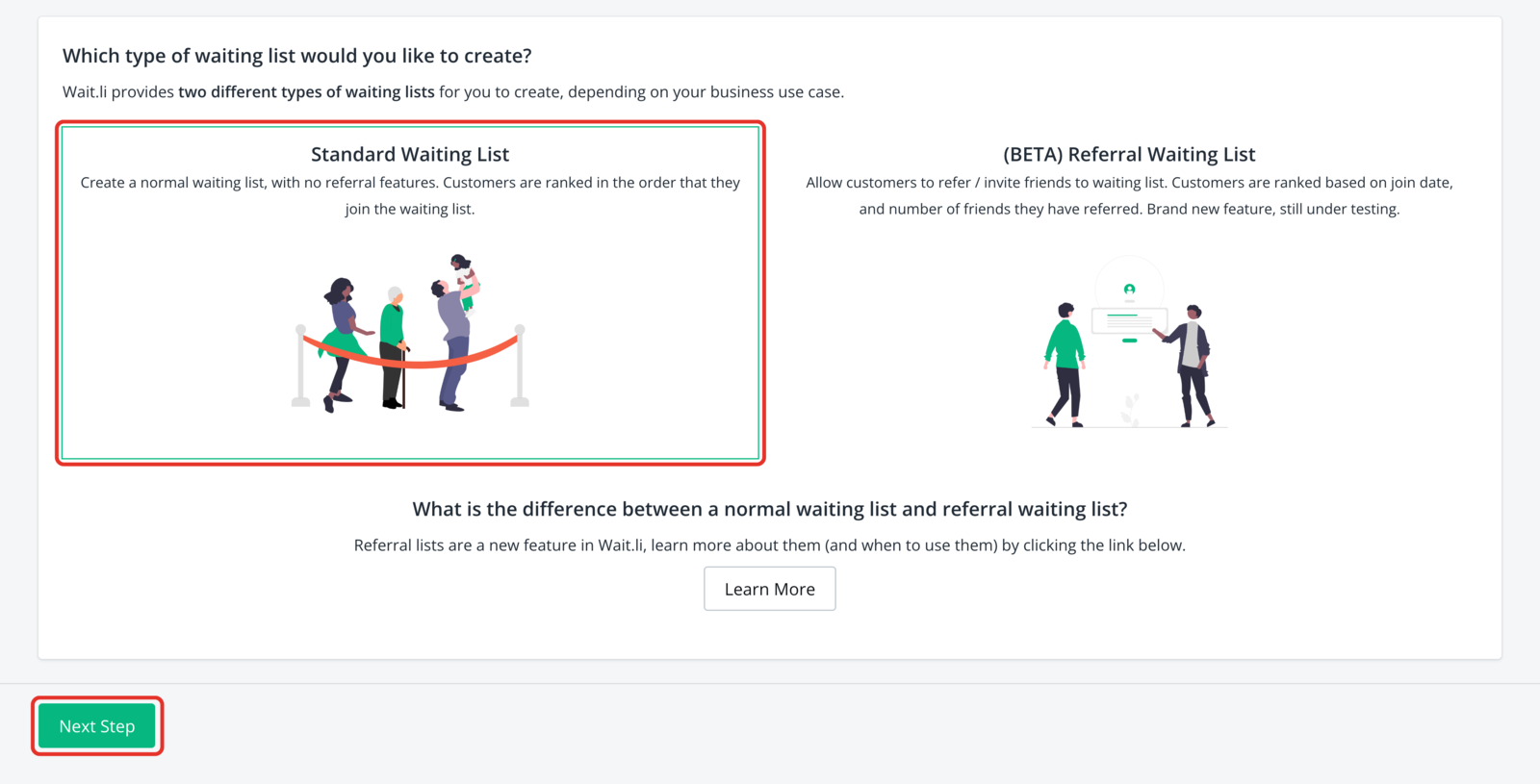
- Choose Standard Waiting List, and click Next Step.
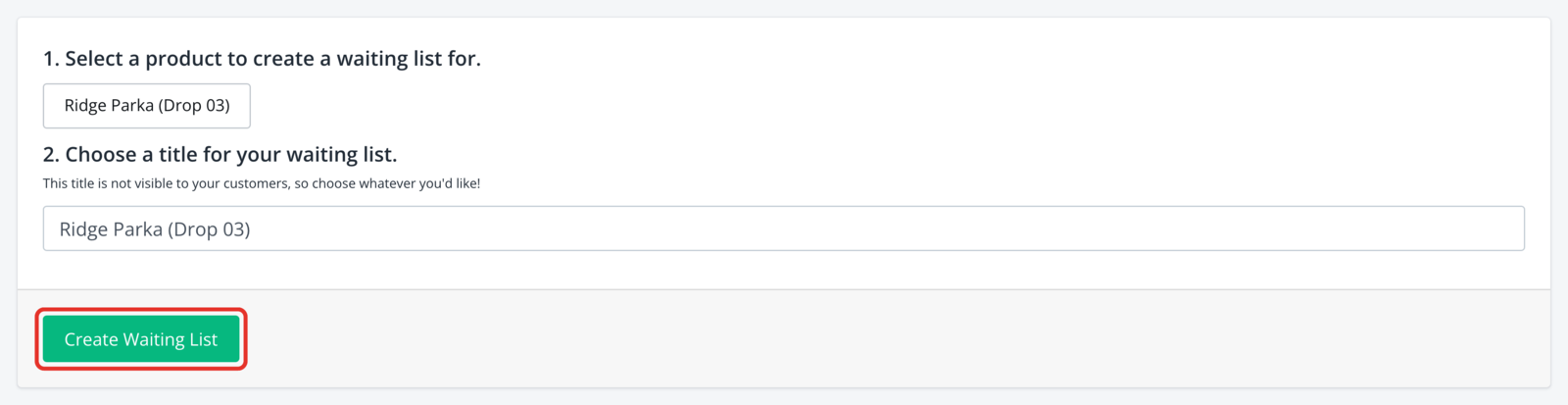
- Pick the product you plan to launch or drop.
- Click Create Waiting List.
Want shoppers to move up the line by inviting friends? Choose (BETA) Referral Waiting List in step 2 instead. See How do referral waitlists work?
Add the waitlist to your product page
- In Shopify admin, open your theme editor.
- Add the Wait.li block to your product template.
Using an older theme or new customer accounts? See How do I install Wait.li on my theme?.
Make the text and emails sound like you
- Open Wait.li and click App Settings.
- Click Text & Translations to change the words on your product page.
- Click Email Notifications to change the emails.
- Click Design & Logo to add your logo to the emails.
- Click Save Settings.
Share the product page
Shoppers sign in with their customer account and join. Each one gets a "you're on the list" email.
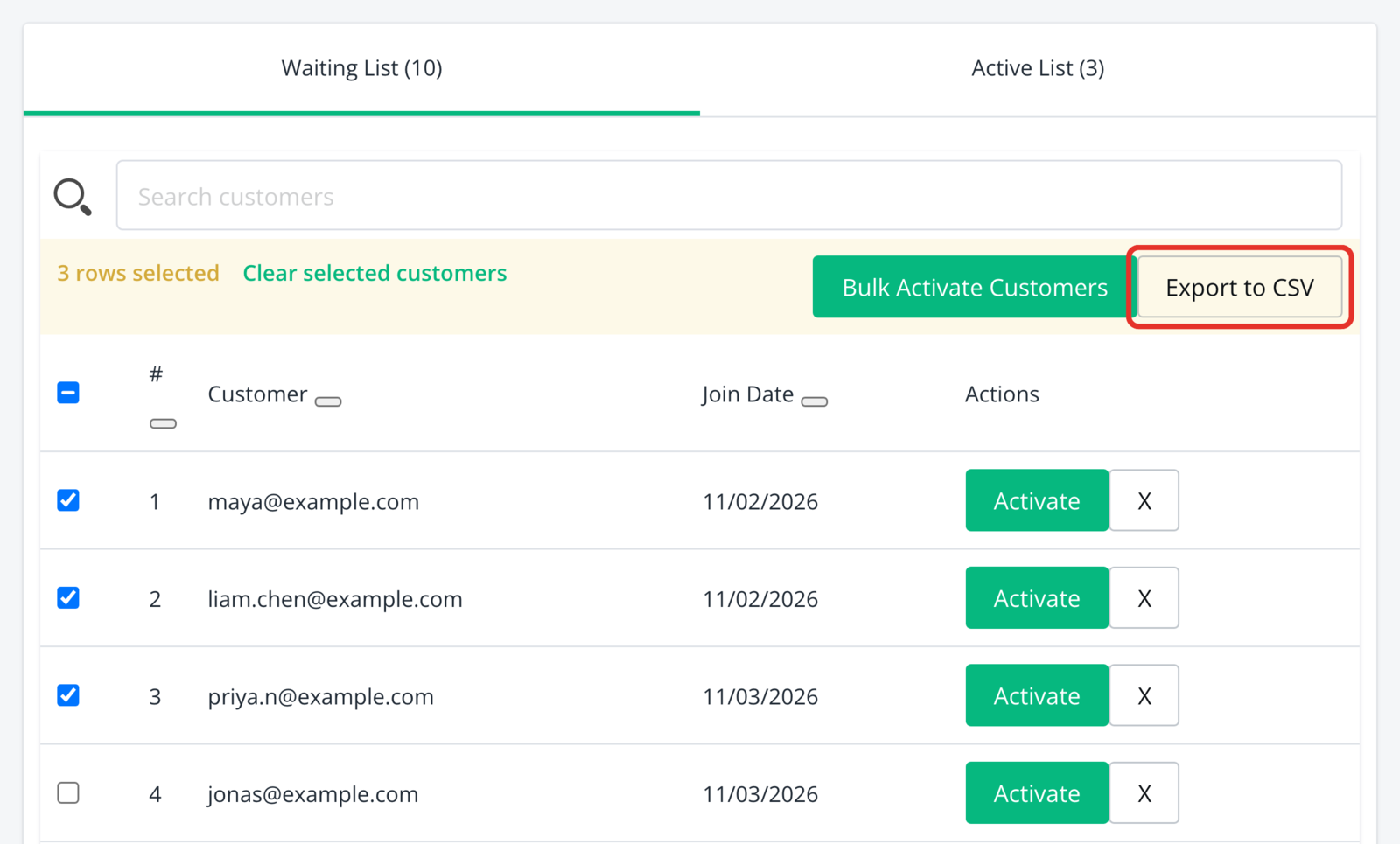
You get an email for each new signup and a daily summary. To see everyone at once, open the list, select shoppers, and click Export to CSV.
Let shoppers buy on launch day
Until you activate a shopper, Wait.li hides the Buy button for them.
- Open Wait.li and click the product's waitlist.
- Click Activate next to a shopper, or select several and click Bulk Activate Customers.
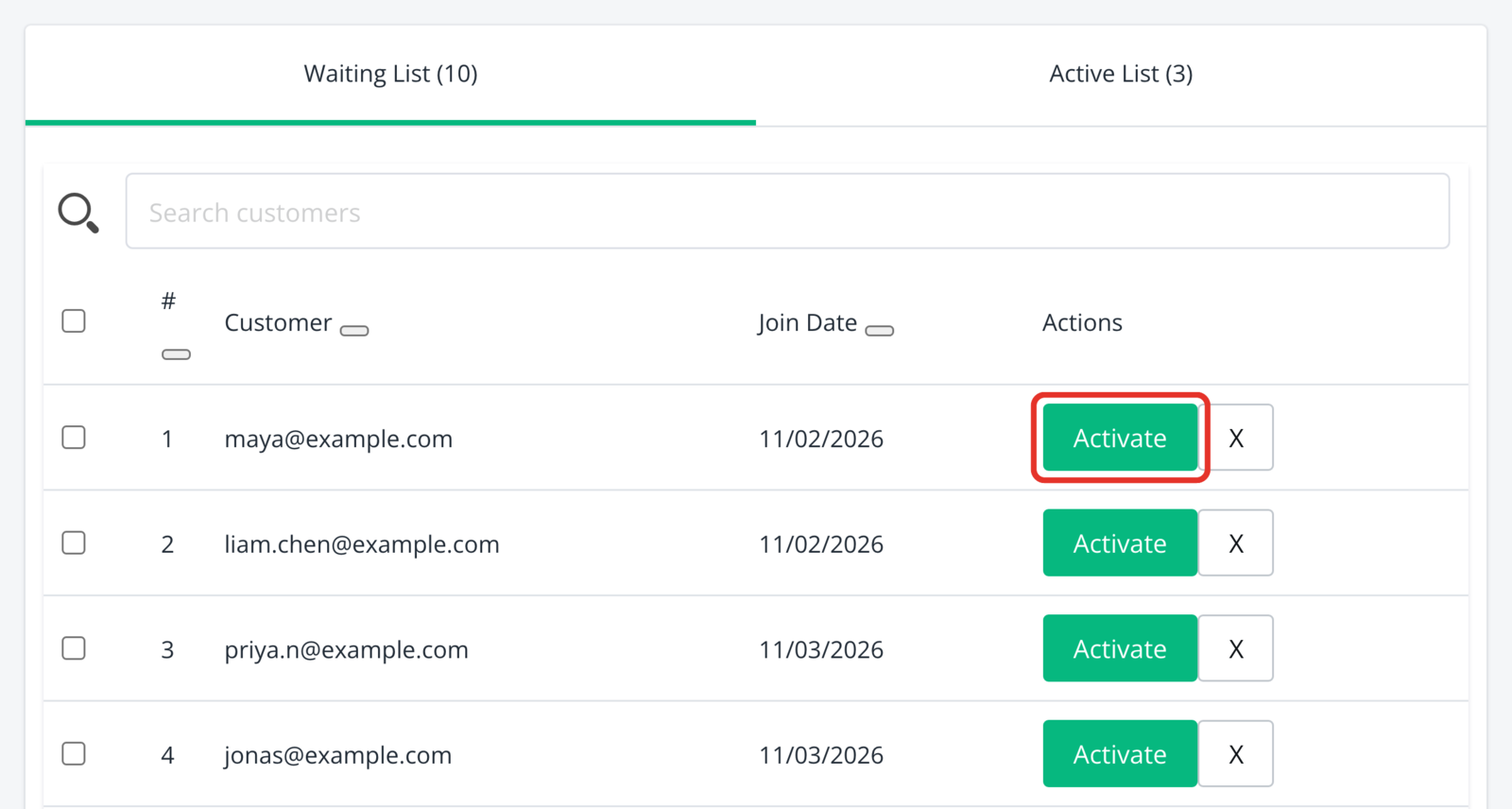
Each activated shopper gets a "you can buy now" email and sees the Buy button on the product page. See How do I release a product in batches?
When a list is full, see What happens when I hit my plan limit?
What's next
- How do I release a product in batches?: match each wave of buyers to your stock.
- Can shoppers see their place in line?: show shoppers where they stand before launch.
- Waitlist or back-in-stock app: which do I need?: check Wait.li fits what you're selling.
Still stuck? Email us at hello@wait.li.